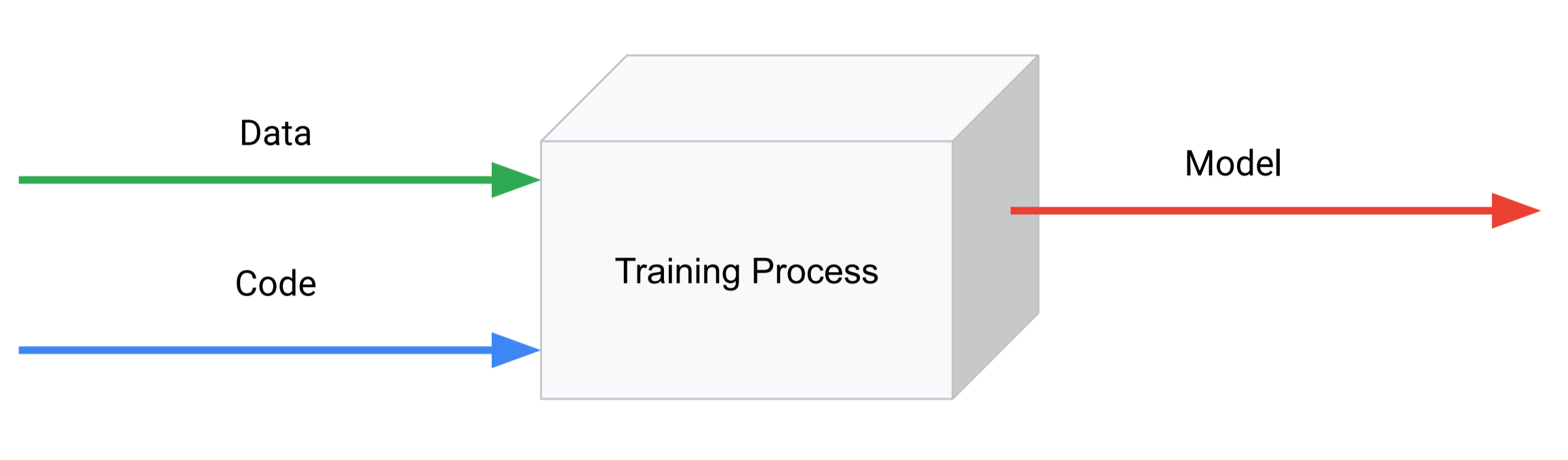
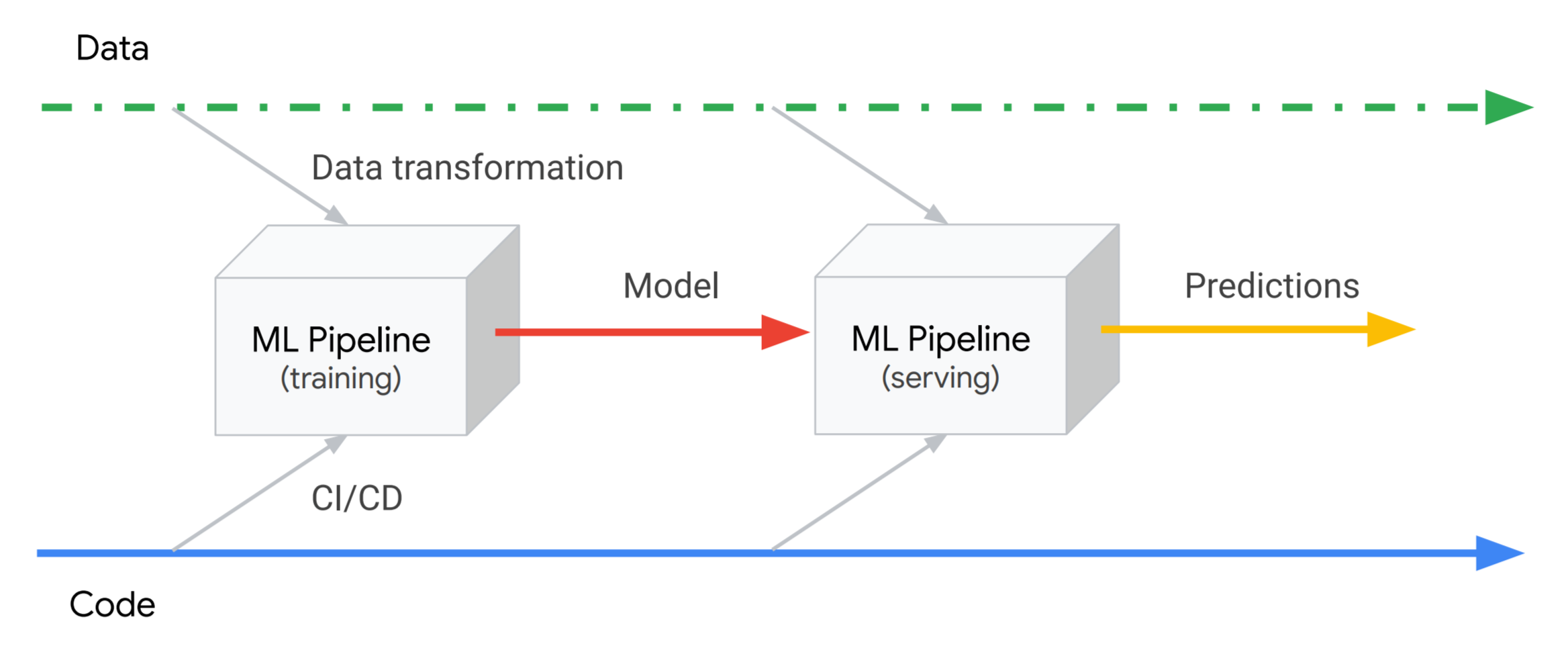
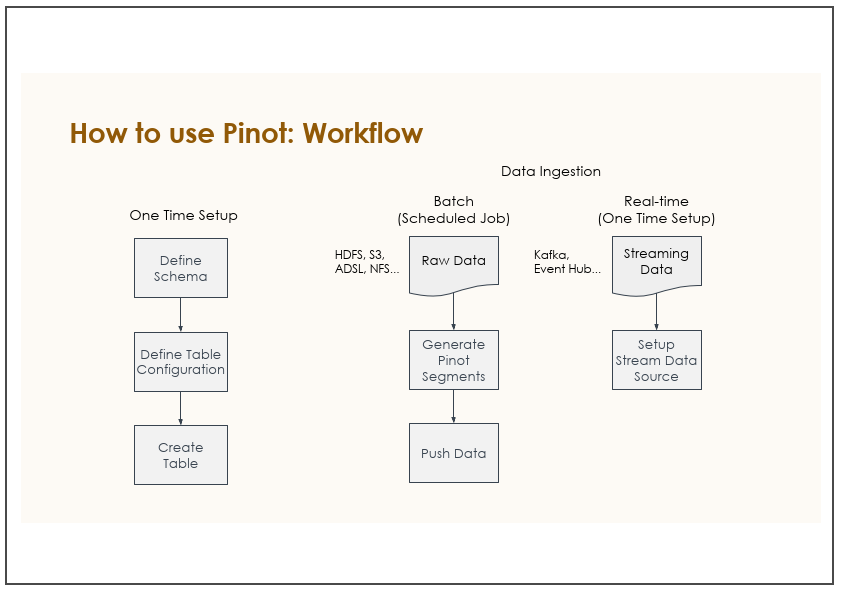
Most models will need 2 versions of the pipeline: one for training
and one for serving.
ML
Pipelineは特定のデータから独立しているためCICDと連携可能
For example, the training pipeline usually runs over batch files that
contain all features, while the serving pipeline often runs online and
receives only part of the features in the requests, retrieving the rest
from a database.
いくつかTensorFlow関係のツールが紹介されている。確認したほうがよさそう。:
TensorFlow Pipeline
TensorFlow Transform
バージョン管理について:
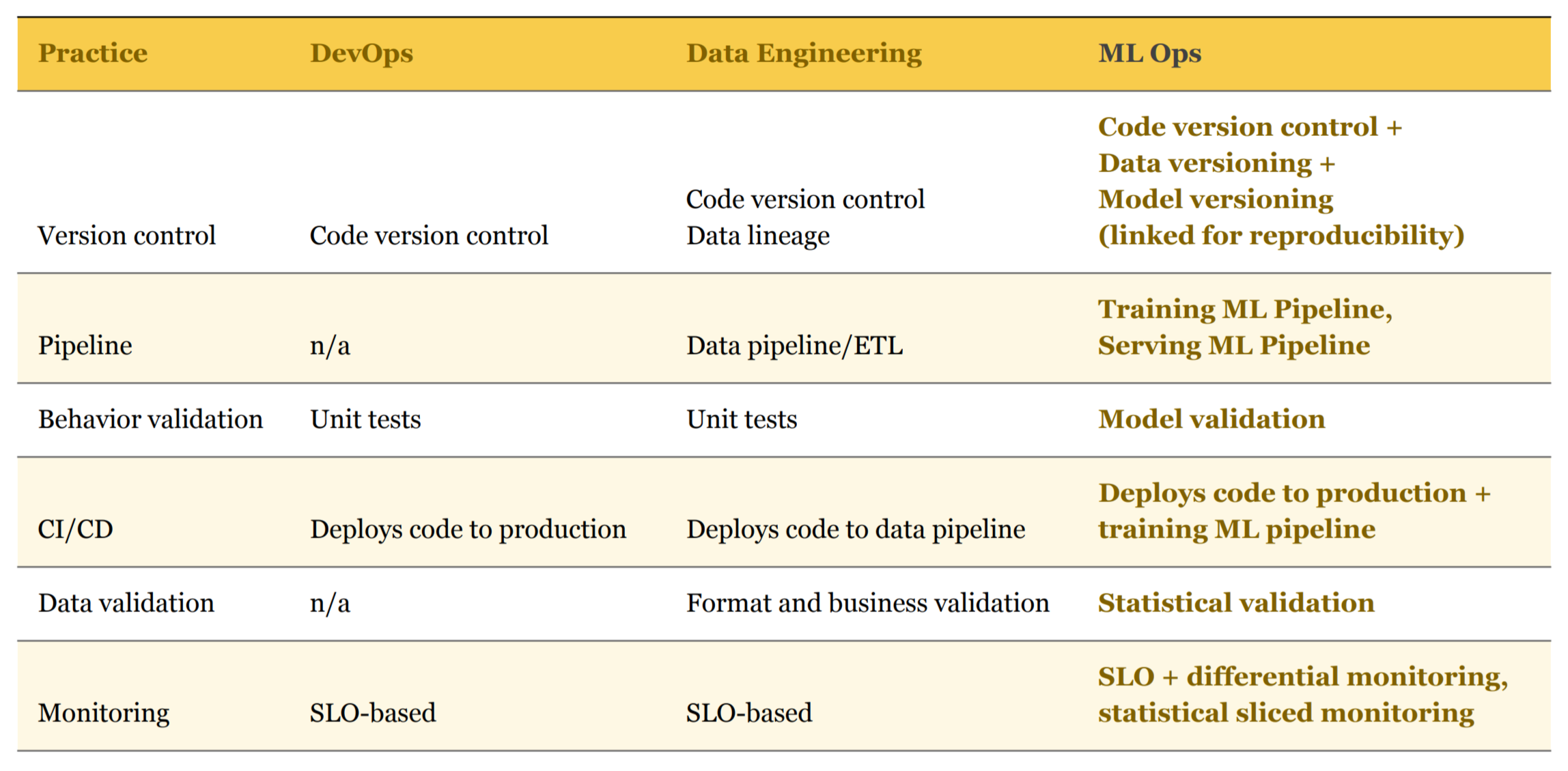
In ML, we also need to track model versions, along with the data used
to train it, and some meta-information like training
hyperparameters.
Models and metadata can be tracked in a standard version control
system like Git, but data is often too large and mutable for that to be
efficient and practical.
コードのラインサイクルと、モデルのライフサイクルは異なる:
It’s also important to avoid tying the model lifecycle to the code
lifecycle, since model training often happens on a different
schedule.
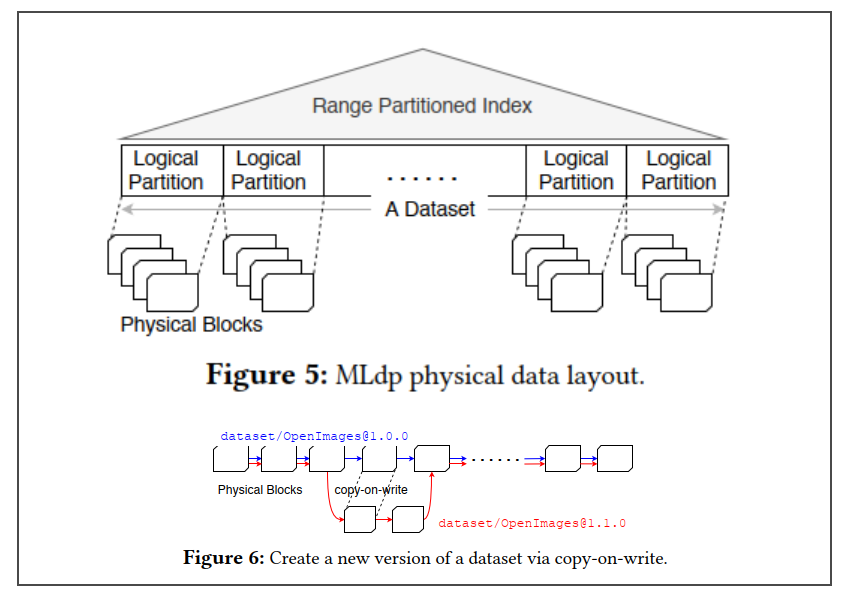
It’s also necessary to version data and tie each trained model to the
exact versions of code, data and hyperparameters that were used.
Having comprehensive automated tests can give great confidence to a
team, accelerating the pace of production deployments dramatically.
model validation tests need to be necessarily statistical in
nature
Just as good unit tests must test several cases, model validation
needs to be done individually for relevant segments of the data, known
as slices.
Data validation is analogous to unit testing in the code domain.
ML pipelines should also validate higher level statistical properties
of the input.
TensorFlow Data Validation
Therefore, in addition to monitoring standard metrics like latency,
traffic, errors and saturation, we also need to monitor model prediction
performance.
An obvious challenge with monitoring model performance is that we
usually don’t have a verified label to compare our model’s predictions
to, since the model works on new data.
// Model loading: Using Graph.importGraphDef() to load a pre-trained Inception // model. g.importGraphDef(graphDef);
// Graph execution: Using a Session to execute the graphs and find the best // label for an image. try (Session s = new Session(g); Tensor result = s.runner().feed("input", image).fetch("output").run().get(0)) { final long[] rshape = result.shape(); if (result.numDimensions() != 2 || rshape[0] != 1) { throw new RuntimeException(String.format( "Expected model to produce a [1 N] shaped tensor where N is the number of labels, instead it produced one with shape %s", Arrays.toString(rshape))); } int nlabels = (int) rshape[1]; return result.copyTo(new float[1][nlabels])[0]; } }
// Iris input data (the model returns probabilities for input being each of Iris // Type 1, 2 and 3) List<String> inputValues = Arrays.asList("5.4,3.9,1.7,0.4", "7.0,3.2,4.7,1.4", "4.6,3.4,1.4,0.3");
// TODO Easier way to map from String[] to double[] !!! String[] stringArray = value.split(","); Double[] doubleArray = Arrays.stream(stringArray).map(Double::valueOf).toArray(Double[]::new); double[] irisInput = Stream.of(doubleArray).mapToDouble(Double::doubleValue).toArray();
// Inference INDArray input = Nd4j.create(irisInput); INDArray result = model.output(input);
final KafkaStreams streams = new KafkaStreams(builder.build(), streamsConfiguration);
streams.cleanUp();
streams.start();
System.out.println("Iris Prediction Microservice is running...");
System.out.println("Input to Kafka Topic 'IrisInputTopic'; Output to Kafka Topic 'IrisOutputTopic'");
// Send prediction result to Output Topic transformedMessage.to(outputTopic);
// Start Kafka Streams Application to process new incoming messages from // Input Topic final KafkaStreams streams = new TestKafkaStreams(builder.build(), streamsConfiguration); streams.cleanUp(); streams.start(); System.out.println("Prediction Microservice is running..."); System.out.println("Input to Kafka Topic " + inputTopic + "; Output to Kafka Topic " + outputTopic);